
Module Notes
- Use this page after the
Customizefundamentals if you need the full import-to-export route in one place. - The teaching job here is sequencing and checkpoints across the authored face package, not deeper runtime or deployment detail.
- Stop at the handoff into
Integrate; topology, ROS, and runtime internals belong later.
What You Need
You should already understand:
The current implementation anchors live mainly in vizij-web/apps/vizij-authoring.
Starting State
Use the vizij-web workspace root:
cd /home/chris/Code/Semio/vizij_ws/vizij-web
pnpm run dev:vizij-authoring
This walkthrough assumes you are starting from one of two believable bases:
- a maintained preset face that already loads cleanly in
vizij-authoring, - an imported face that has already made it through the earlier
Customizefundamentals.
If you do not have one of those yet, stop and go back to Tweak an Existing Face or Import.
Walkthrough
Current pipeline motion anchor:
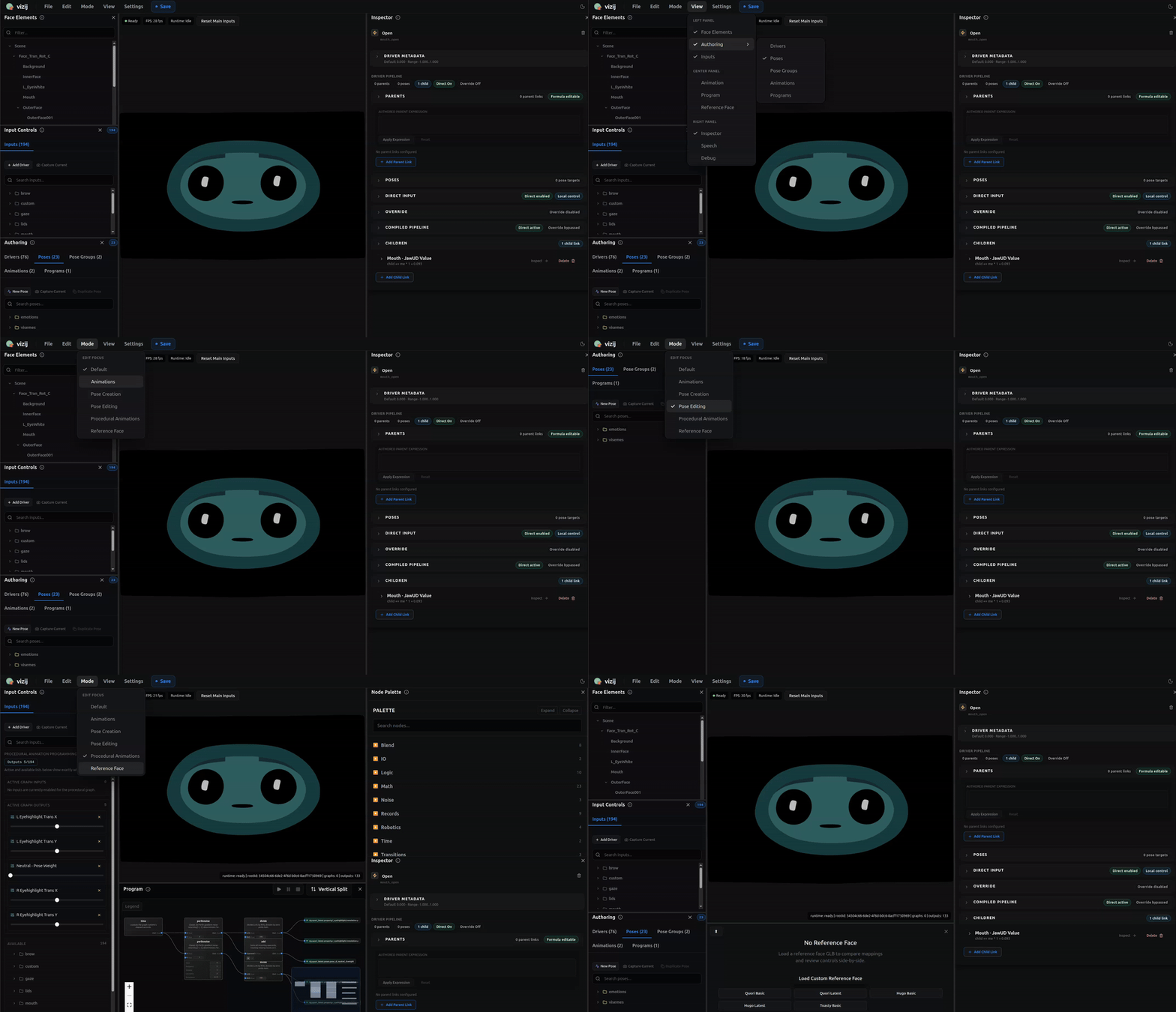
This clip is not a full authored workflow map, but it is the best current route-faithful capture for this section because it shows the advanced pipeline crossing several real authoring surfaces instead of pretending deep customization happens in one undifferentiated panel.
Counterexample anchor:
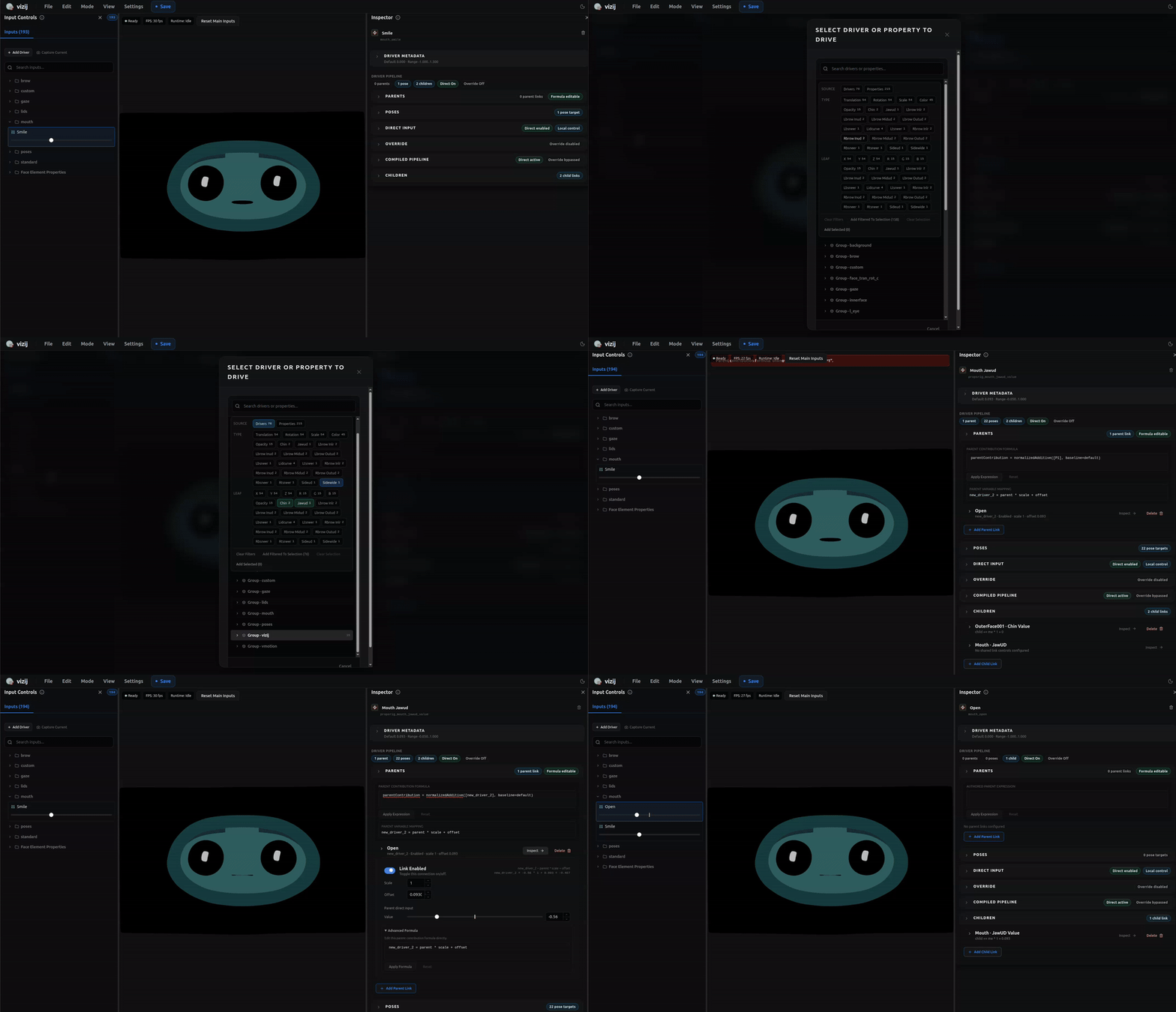
Keep this second clip in mind as the wrong shape for the deep route. It is useful here precisely because it records an unstable intermediate authoring moment: something is happening in the tool, but it is not the kind of clean, trustworthy stage transition you should treat as pipeline success.
1. Start from a supported base and name the route
Load the maintained preset or imported face you are going to carry through the rest of the pipeline.
Action:
- load the face and wait for the preview plus side panels to populate,
- decide whether this artifact is mainly headed toward
Control,Customize, orIntegrate, - state out loud what you expect this face to become by the end of the walkthrough.
Expected result:
- the starting artifact is visible and stable,
- you are not doing vague “more authoring” work,
- the pipeline has a believable destination.
If the starting artifact is still unclear, every later stage becomes harder to trust.
2. Establish controllable structure before authoring more behavior
The next job is not visual polish. It is controllable structure.
Action:
- inspect the loaded face and confirm the targets you need are actually present,
- check whether copied or transferred structure landed where you expect,
- stop immediately if the structure is still ambiguous.
Expected result:
- the right targets exist,
- the structure is mapped in a Vizij-usable way,
- later authored behavior has something stable to drive.
If this stage is weak, later poses, animations, or procedural behavior will look more successful than they really are. Route back to Reference-Face Transfer or Rigging rather than pushing forward.
3. Add one named state and one behavior layer
Once the structure is trustworthy, make the artifact do something more deliberate than a static edit.
Action:
- create or confirm one named pose that expresses a meaningful state,
- add one motion layer on top of that structure through Animations or Procedural Programs,
- verify that the visible behavior now reflects real authored intent rather than one-off tweaking.
Expected result:
- the artifact has at least one named state,
- it has at least one authored motion or computed behavior layer,
- you can explain why you chose that behavior layer instead of treating all advanced authoring tools as interchangeable.
4. Run export readiness before you call the route complete
A deep custom pipeline becomes reliable only when export readiness is treated as a real checkpoint.
Action:
- open the export flow,
- read the audit and warning surfaces instead of treating export as a blind file write,
- clear any blocker that means the artifact is still structurally or behaviorally untrustworthy.
Expected result:
- the bundle is coherent enough to leave authoring,
- unresolved structure mistakes are caught before handoff,
- export is functioning as a route milestone rather than only a file operation.
If warnings still indicate unresolved structure, route back to Rigging, Poses, Animations, Procedural Programs, or Export as appropriate.
5. Export one bundle and define the handoff
The output of this route is not deployment. It is an artifact that is believable enough to enter Integrate.
Action:
- export one bundle you are willing to treat as the current handoff artifact,
- note what this artifact now proves,
- choose the first
Integratepage you will use to validate the handoff.
Expected result:
- the artifact has actually crossed the authoring boundary,
- you know whether the next practical stop is Loading, Playback, and Embedding or a later
Integratepage, - the route has moved forward instead of stalling in endless authoring.
Common Failure Points In This Walkthrough
Use these reroutes instead of pushing forward with a weak artifact:
- if the starting artifact is not yet believable, go back to Tweak an Existing Face or Import,
- if copied or transferred structure is still unreliable, go back to Reference-Face Transfer or Rigging,
- if the face has structure but no convincing authored behavior, go back to Poses, Animations, or Procedural Programs,
- if export still feels like guesswork, go back to Export before entering
Integrate.
Recommended Next Steps
- If you still need to stabilize the artifact boundary, go back to Export.
- If the face is ready to leave authoring, continue to Loading, Playback, and Embedding.
- If the next job is a richer app shell instead of a minimal handoff, continue later to Rich Interactive Applications.